Narwolf
Sign in
Never lose
a
song
again.
Capture every idea, anytime, online or offline.
Inspiration can be organized.
Email
Request an invite
INVITATION-ONLY BETA · FREE WHILE IT LASTS
Capture
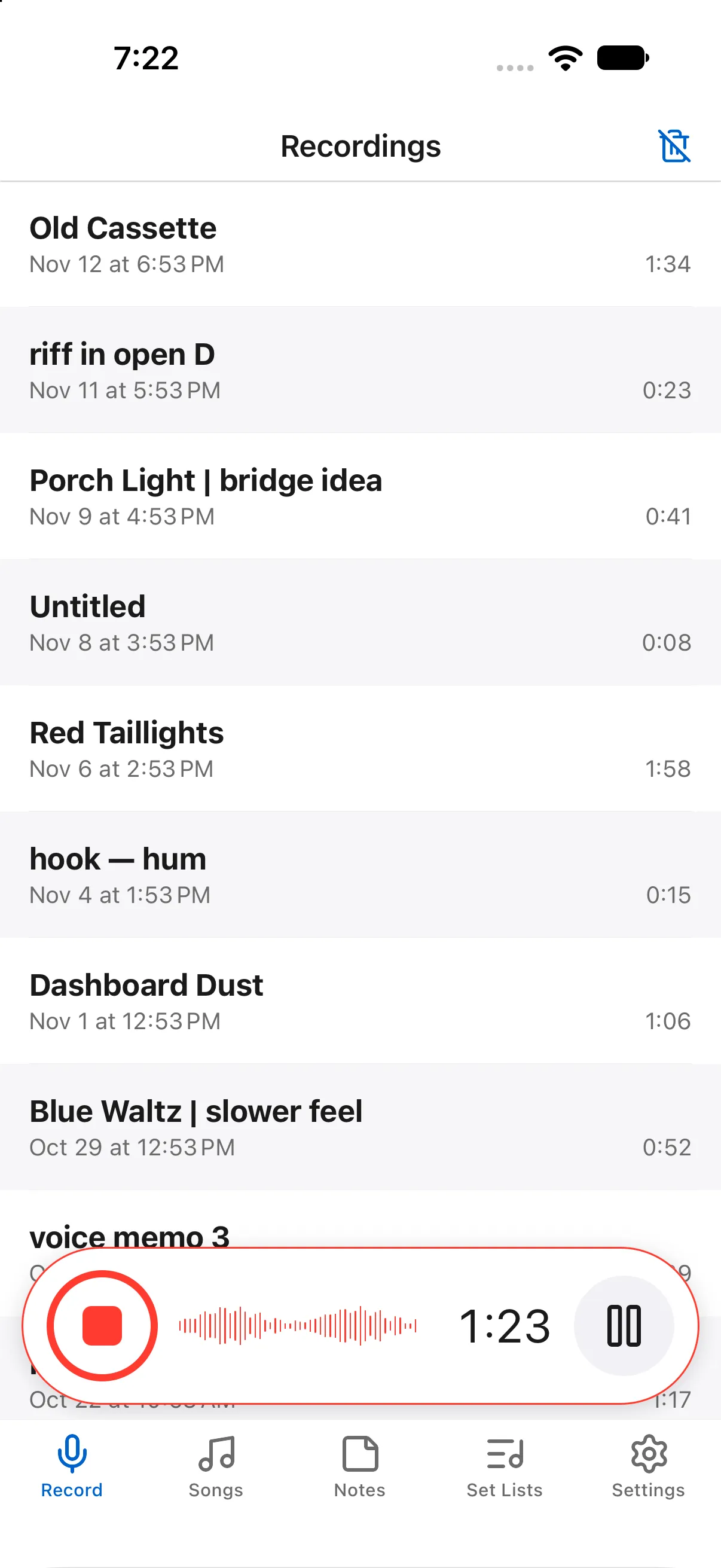
Capture audio
The record button is always there, making audio capture fast and easy from anywhere in the app.
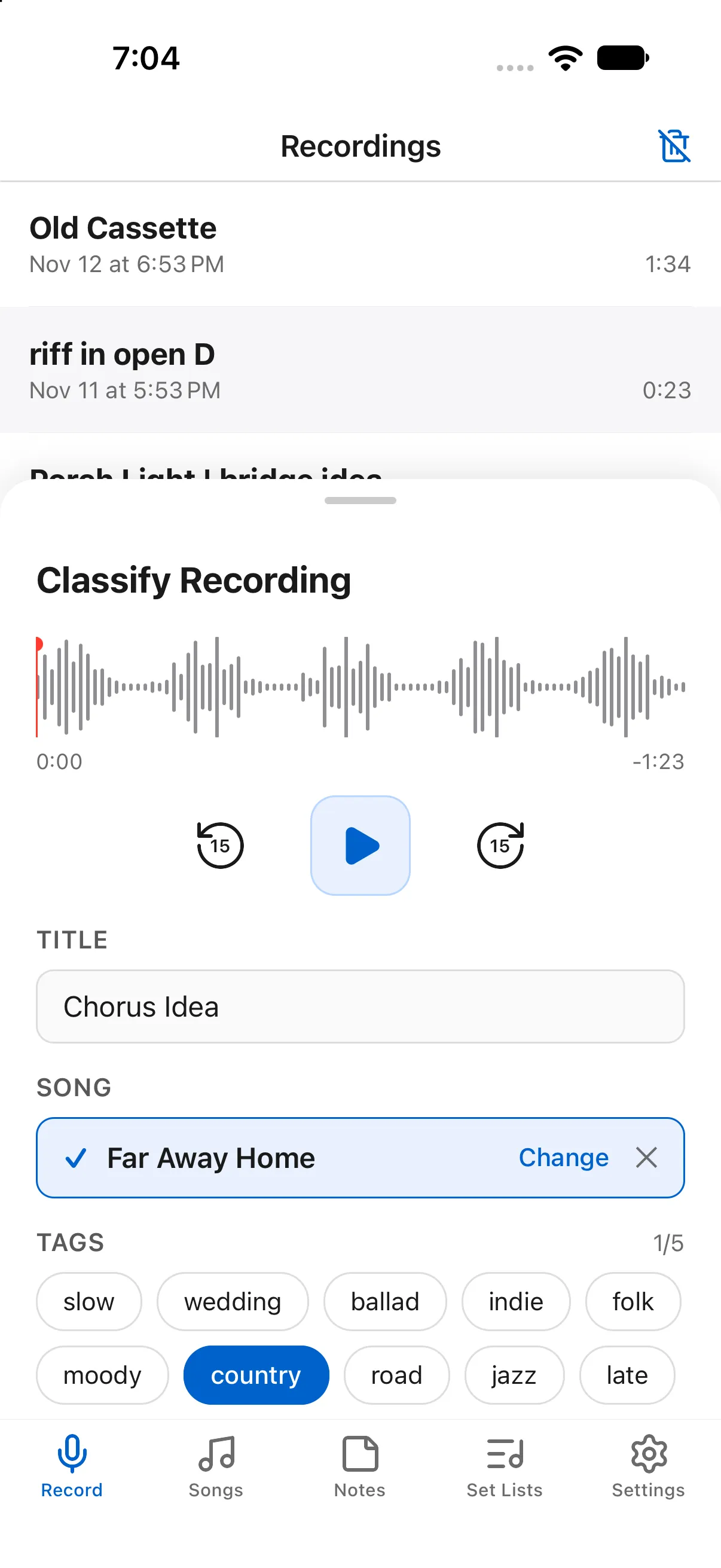
Instantly organize
Everything you capture is instantly organized into songs and classified with tags.
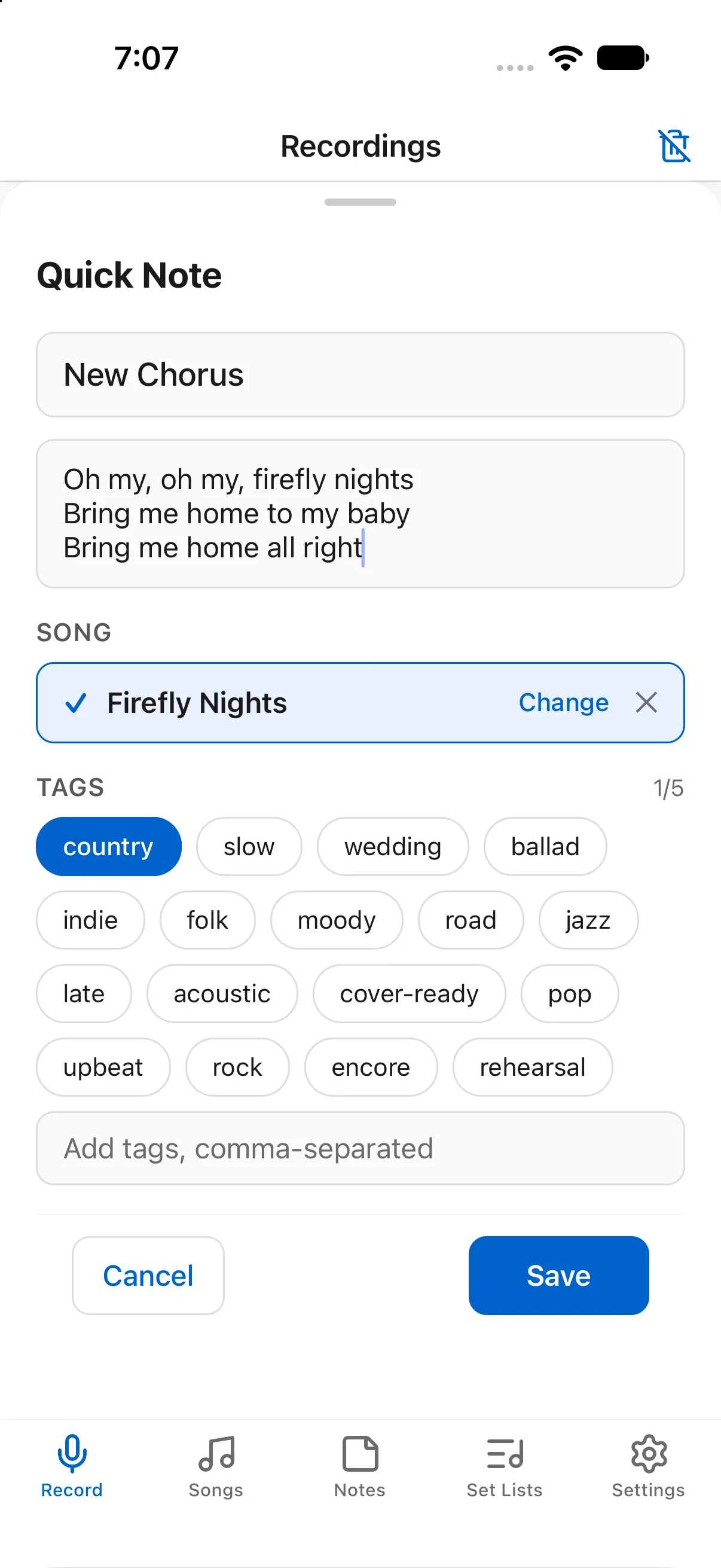
Capture text
Iterate on lyrics, add notes, capture band names. The same classification system works for everything you create.
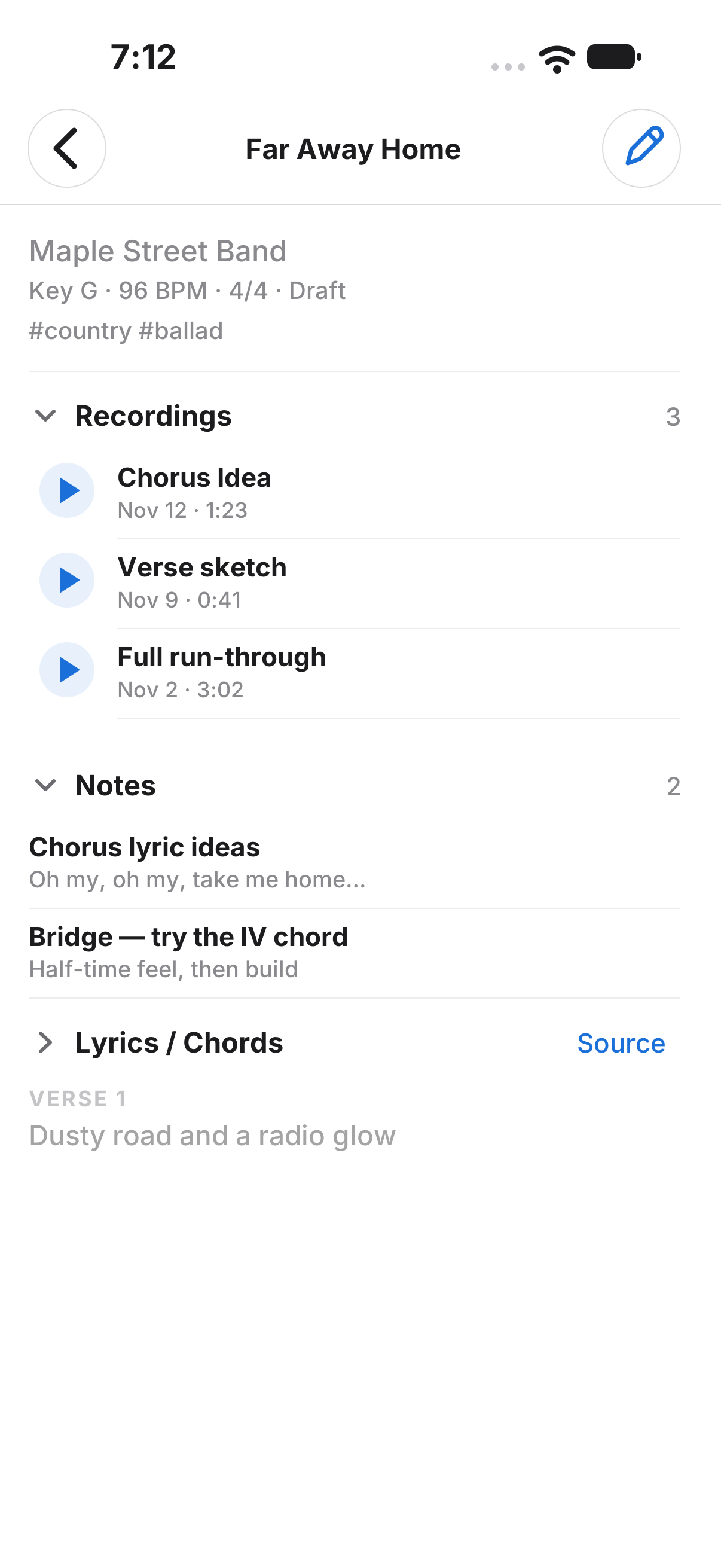
Create songs
Every recording and every note you write lands in the song with the lyrics and the chords.
format & share
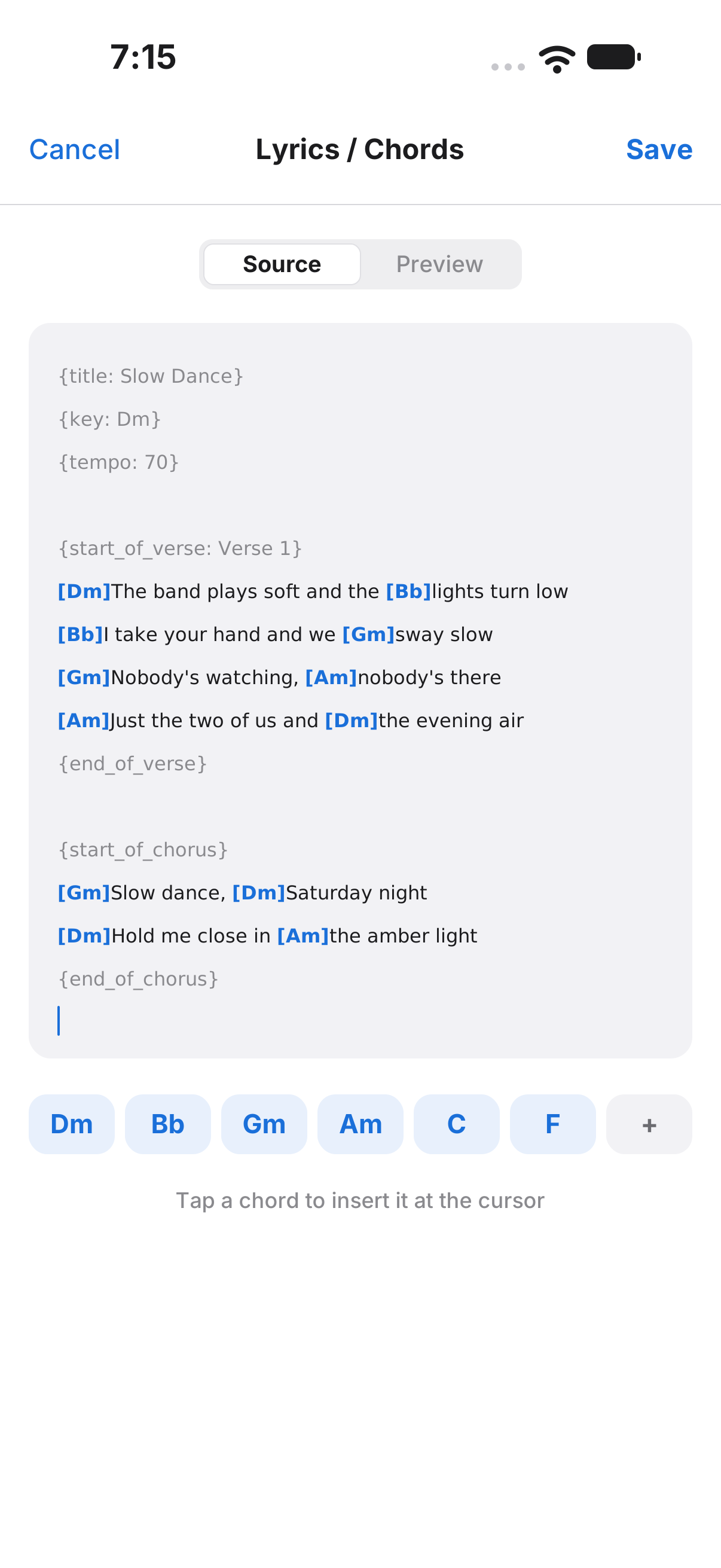
Enter lyrics with ChordPro
Type chords in brackets right where they change. Narwolf lays out the chart as you write.
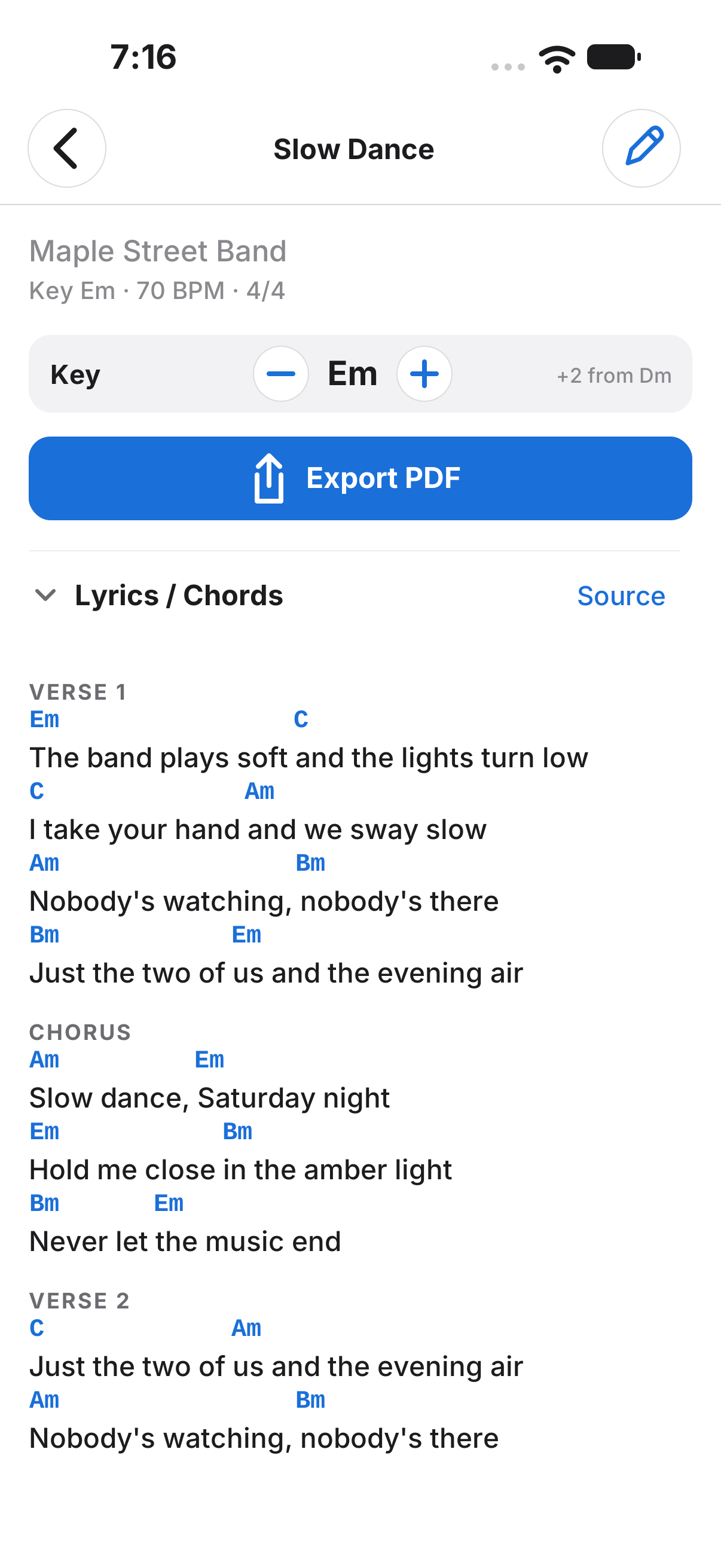
Export charts in any key
Pick a key and export a clean lead sheet for the whole band.
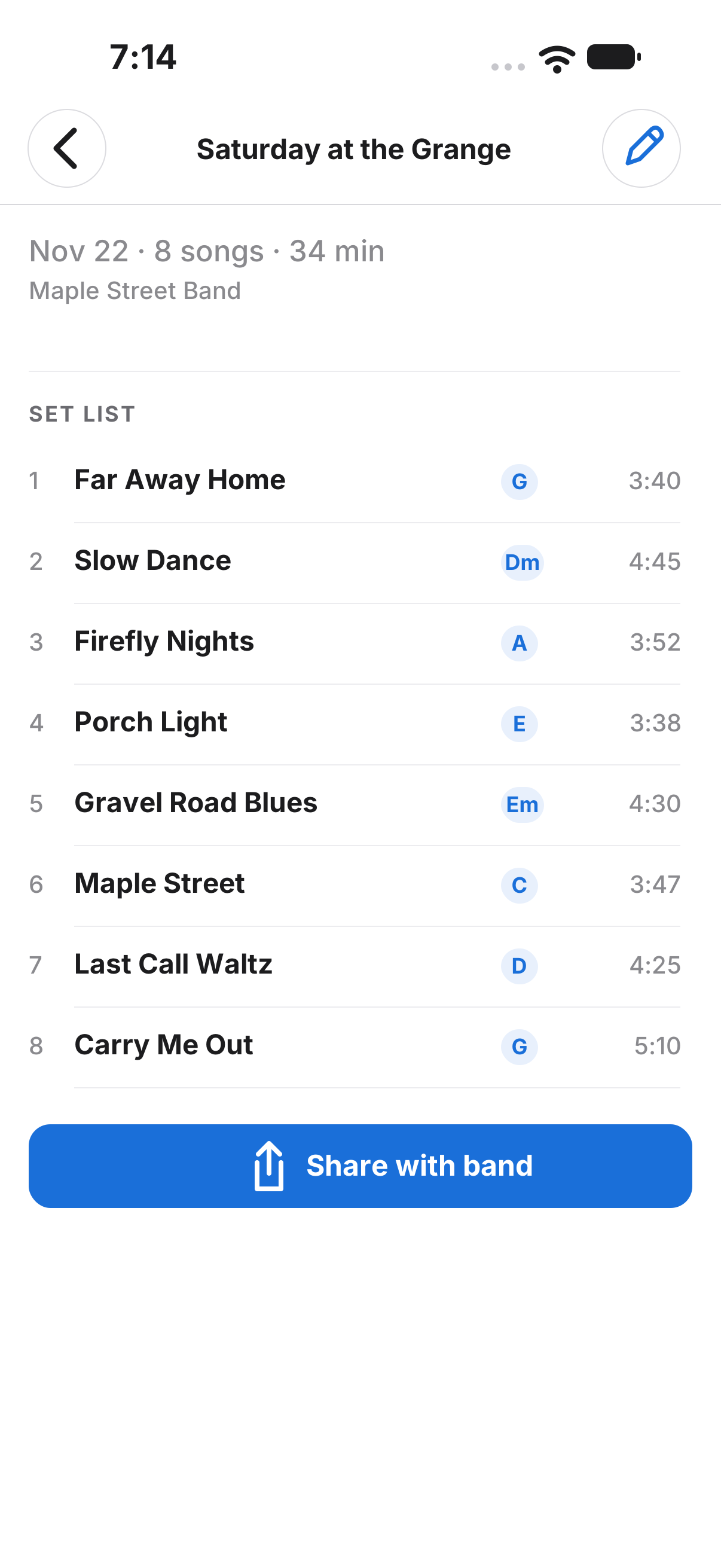
Create set lists
Put the night in order, with keys and running time at a glance.
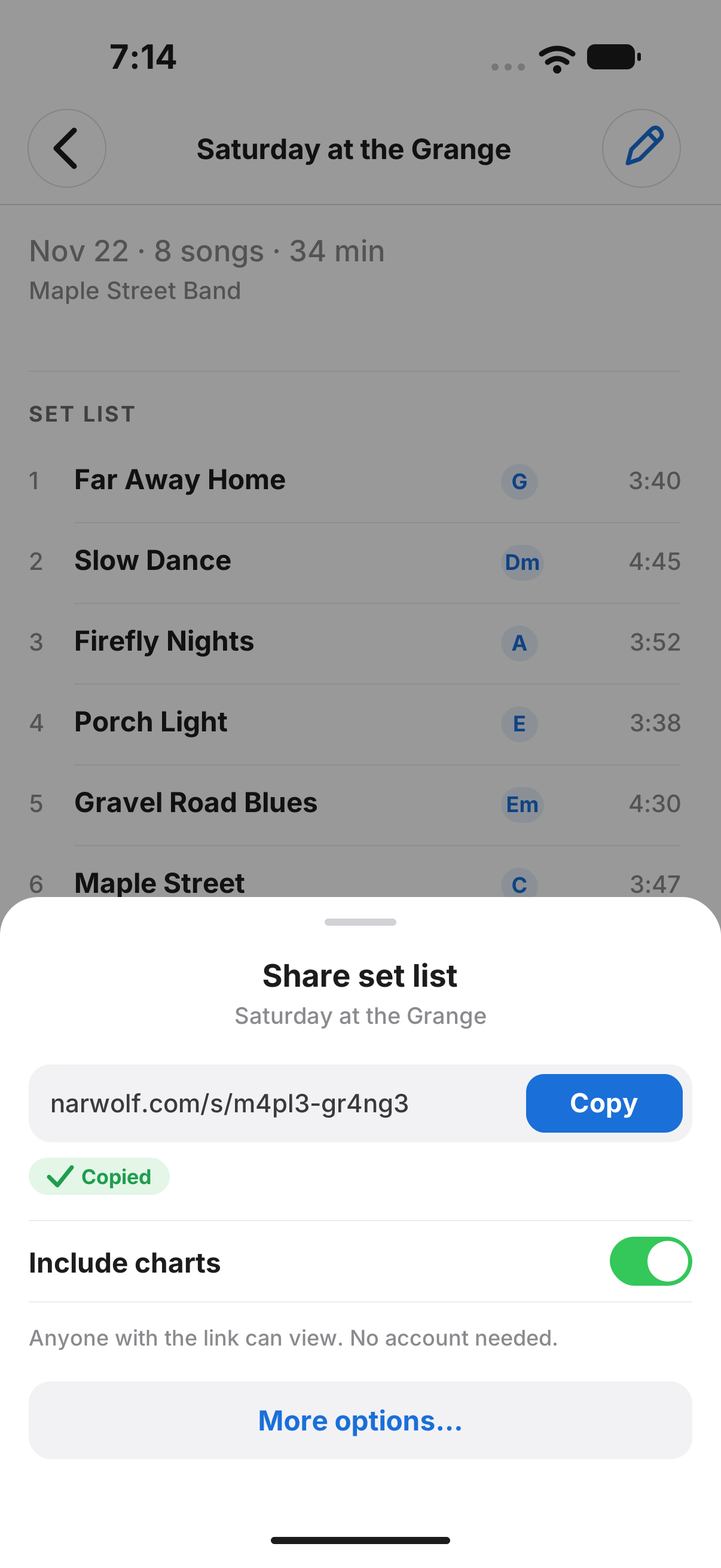
Share with your band
Copy one link. Your band opens the set list and charts in any browser, no account needed.